Download LogMeOnce Password Manager free on android
APK file LogMeOnce Password Manager 7.7.1How to install APK / APKS / OBB file on Android
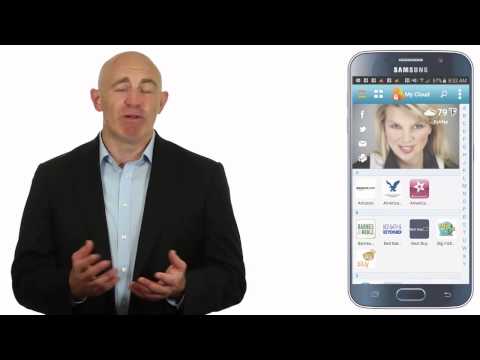

Goodbye, Passwords.
LogMeOnce is PasswordLess. Snap a photo, and login with your selfie photo instead.
-- Download Now -- It’s Free.
Make your authentication faster & simpler. PhotoLogin patented technology enables you to log in to any website without typing a password, or use facial recognition tools. Get the Best Mobile Security app to protect and keep your personal information safe.
Multi-Awarded & Security Industry Veteran Management team delivers the best Free Password Manager, safe vault, private browser, and mugshot applications. And, it’s PasswordLes…!
LogMeOnce PhotoLogin patented technology gives you the power by taking an instant photo of one moment in time. Your authentication factor can change in a millisecond, whether you’re showing off your cufflinks or holding a stapler. How could hackers possibly know how you will pose or what you will be wearing to log in? They do not even know your photo’s scene, background, color, wall, windows, or room’s ambiance! Each photo has a story to tell
Manage and be secured in minutes with LogMeOnce. Use the random generator feature to produce complex and stronger security credentials that will protect your apps.
With a single click, securely login to your apps and LogMeOnce dashboard from anywhere and via any device you have authorized.
Keep track of your online safety with Security Scorecard, and see how they are performing or holding up. LogMeOnce has top security features, and its superior technology has been raved about by the press
.
The premium edition of LogMeOnce is free, whether you use it on one device or on multiple devices at the same time. LogMeOnce supports all mobile platforms + PC + Mac to protect your privacy, passcodes and security credentials.
-- Download Now -- It’s Free.
Seen in Media:
The Washington Post, Reuters, Mashable, Yahoo, PC Mag, Wired, BGR, Venture Break, Code Mink, Examiner, International Business Times (IBT)
The Washington Post: "This program lets you snap a photo of whoever’s trying to hack you"
International Business Times: "LogMeOnce: Takes a photo of anyone trying to hack into your accounts"
PASSWORD MANAGER FEATURES
Get ready to start your new healthy identity with LogMeOnce Mobile Security app, for free. Enjoy the benefits of increased privacy and safety, with the following app features:
- PasswordLess Login....!
- Fingerprint Biometrics
- Keep your Vault Safe
- Beneficiary
- Security Scorecard
- Strong Password Generator & Dialer
- Backup & Restore
- Secure Sharing
- Single Sign On (SSO) / Auto Login
- Two-Factor Authentication
- Safety Analytics
- Zero-Knowledge Technology
- Productivity, Reporting
- Audit & Compliance
SECURE BROWSER FEATURES
Shake off the followers and browse the Internet with security and confidence without leaving any traces behind. Enjoy enhanced privacy whenever you are online
- Secure Browser
- Secure & Private Browsing
- Navigate Internet with safety and confidence.
- Full-featured & multi-tab like Chrome, Firefox, and other poplar browsers.
MUGSHOT FEATURES
Catch your potential identity thief in the act! Snap a hacker or intruder’s photo.
- Camera #1: Snap a picture with a front-facing camera
- Camera #2: Take a picture with a front-facing camera
- Audio: Record an intruder’s voice during a break-in
- Video: Film an intruder during a break-in
- GPS location: Find out where the intruder is
- Time Stamp: Get a record of the time it occurs
- IP Address: Find out where break-in originated
- Intrusion detection with Break-in Alert
DIALER FEATURE
LogMeOnce dialer’s sleek design lets you easily create a complex and strong password that is tough to break. Simply point your finger on the circular dial and rotate.
Protect your credentials. Download LogMeOnce Security App Now!
This app uses the Device Administrator permission.
For technical support, email Support@LogMeOnce.com
Don't forget to rate our app, and tell us what you think :)
- LicenseFree
- File nameLogMeOnce Password Manager
- File Version7.7.1
- Package namelog.me.once
- Size48.71 MB
- UploadedNovember 23, 2025
- Android8.0 or later

- CategoryProductivity
- DeveloperLogMeOnce Password Manager
- Developer sitehttps://www.LogMeOnce.com/
- Developer emailSupport@LogMeOnce.com
- md5 hashc64964fc5b094a5b3926325cef6a563c
- Architecture-
- Permissionsshow (30)

